
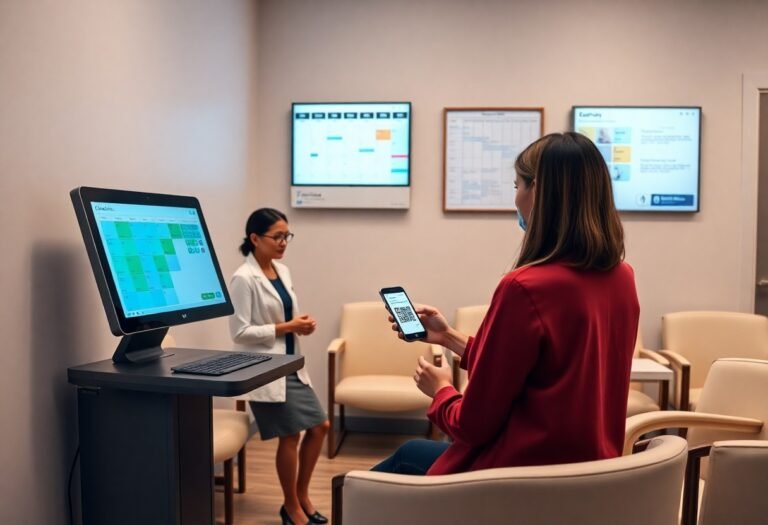
Scheduling automated intake forms and confirmations helps you reduce no-shows, streamline bookings, and free staff time by using online forms, reminders, and smart calendar rules to manage capacity and cancellations.
Key Takeaways:
- Centralize intake with digital forms that prefill from patient records, collect medical history and consents, capture photos, and sync directly to your EHR/CRM to speed check-in and reduce manual entry.
- Offer online booking with real-time availability tied to provider schedules, service-specific durations, and buffer times to prevent double-booking and lower administrative workload.
- Automate confirmations and multi-channel reminders (SMS, email, phone) that include prep instructions and one-click confirm/cancel or two-way rescheduling to reduce no-shows.
- Require deposits or prepayment for high-demand services, implement a waitlist and smart overbooking rules based on historical no-show data to protect revenue.
- Track KPIs (no-show rate, cancellation lead time, booking conversion), test reminder timing and messaging, and automate post-visit follow-ups to improve retention and recover missed appointments.
Digital Patient Intake: Streamlining the First Impression
Your digital intake collects medical history, consents, insurance, and payment information before arrival so you shorten check-ins, reduce errors, and present a professional patient experience.
HIPAA-Compliant Online Forms and Portals
Behind secure portals, you control access, encrypt PHI, and audit activity so patients submit forms safely and you meet regulatory requirements.
Automated Data Integration with EMR Systems
By connecting intake forms to your EMR, you auto-populate charts, reduce duplicate entry, and speed clinical workflows to improve accuracy and appointment readiness.
Digital systems use FHIR or HL7 APIs to push intake data into your EMR, enabling field mapping, validation, timestamping, and immediate chart updates. You should enable bidirectional sync so scheduling and chart changes stay consistent, configure error alerts to catch mismatches before appointments, and log transactions for HIPAA audits. You can test integrations in a sandbox and train staff on exception workflows.
Smart Booking Systems: Maximizing Calendar Efficiency
Some smart booking systems let you auto-manage intake forms, set buffers, block conflicts, and auto-fill openings so your calendar stays efficient and profitable.
Real-Time Scheduling and Provider Matching
Along with live availability, the system matches clients to providers by skill, certification, and preferences so you reduce manual switching and improve fit.
Integrated Deposit Collection and Payment Processing
The platform collects deposits, stores cards securely, and applies payments to bookings so you cut no-shows and speed checkout.
Payment automation lets you require deposits by service type, schedule retries for failed charges, and issue automated refunds or credits tied to appointments. You can set variable deposit amounts, enforce cancellation windows, and view hold-versus-captured funds to manage cash flow and reduce disputes.
Reducing No-Shows via Multi-Channel Reminders
Once again you cut no-shows by sending timely appointment reminders across SMS, email, and phone, increasing confirmations and reducing last-minute cancellations.
Personalized SMS and Email Notification Sequences
An optimized sequence uses personalized timing, name tokens, and clear calls-to-action so you increase confirmations and reduce friction before appointments.
Facilitating Easy Rescheduling via Two-Way Communication
Rescheduling becomes simple when you enable two-way SMS, allow quick replies to change times, and update bookings instantly to keep schedules accurate.
You can automate two-way messaging to confirm changes, present available slots, and sync cancellations to your calendar so staff spend less time on calls and patients reschedule with ease.
AI-Driven Engagement and Lead Qualification
After you deploy AI-driven engagement, you can automatically qualify leads, score prospects by intent, and route high-value clients to the right staff, improving conversion rates while reducing manual triage.
Implementing 24/7 Chatbots for Instant Inquiry Response
Among customer-facing tools, 24/7 chatbots let you answer inquiries, capture intake details, and pre-screen candidates instantly, cutting response time and turning more visitors into booked appointments.
Automating Follow-Ups for Abandoned Bookings
An automated follow-up system lets you send timed SMS and email nudges after booking abandonment, offers easy rescheduling links, and applies targeted incentives to recover lost appointments and lower your no-show rates.
A multi-channel recovery workflow you set up combines SMS, email, and push messages with personalized copy, built-in A/B testing, and one-click rebooking, so you can measure lift, optimize messages, and reclaim more abandoned bookings without extra staff time.
Enhancing Patient Retention Through Automated Workflows
Keep patients engaged with automated reminders, personalized follow-ups, and targeted offers so you reduce no-shows and boost return visits; review The 10 Most Common Scheduling Mistakes to avoid setup errors.
Post-Treatment Care Instructions and Feedback Loops
About aftercare, send automated, concise instructions and scheduled check-ins so you limit complications and gather feedback that refines your protocols.
Automated Rebooking Prompts and Loyalty Incentives
Automated rebooking prompts, limited-time discounts, and reward points encourage you to book follow-ups and increase customer lifetime value.
Considering the impact of timely prompts, set rebooking messages to trigger 48-72 hours post-visit and again two weeks before recommended follow-ups so you stay top-of-mind. Personalize offers based on treatment, track conversions in your CRM, and test reward thresholds to find what maximizes retention and repeat revenue.
Operational Benefits and ROI of Automation
All your med spa can cut administrative costs and boost revenue by automating intake, booking, and reminders; you get faster check-ins, fewer errors, higher provider utilization, and clear ROI from lower staff hours and more kept appointments.
Minimizing Administrative Overhead and Human Error
On average you can reclaim hours each week by automating forms, confirmations, and billing; you reduce manual entry mistakes, speed workflows, and let staff focus on patient care instead of paperwork.
Utilizing Data Analytics to Optimize Provider Schedules
Any insights from appointment patterns help you match provider availability to demand, trimming idle time and reducing overtime; you can prioritize high-conversion services and adjust schedules to maximize revenue and patient access.
Error metrics and no-show patterns let you build predictive models that forecast peak days, optimal staffing levels, and ideal appointment lengths; you use this data to set reminder cadences, targeted promotions, and dynamic booking rules that increase capacity and reduce wasted slots.
Summing up
So you can automate intake and booking with online forms, calendar integrations, automated confirmations and reminders, payment capture and waitlists, lowering no-shows through deposits and targeted SMS/email notifications. You should analyze booking data to refine policies and staffing.
FAQ
Q: What are the main benefits of automating intake and booking for a med spa?
A: Automated intake reduces front-desk workload and lowers manual entry errors, freeing staff for higher-value tasks. Digital booking and forms accelerate patient throughput by collecting consents, medical history, and photos before arrival. Integration with practice management systems centralizes records for audits and reporting. Secure, encrypted data capture improves HIPAA compliance and creates clear audit trails.
Q: Which features should med spas prioritize when choosing automation tools?
A: Choose a booking platform that supports real-time availability, multi-provider calendars, and automated confirmations. Implement digital intake forms with conditional logic, photo uploads, and electronic signature capture. Enable SMS and email reminders with two-way reply options and reschedule links. Add payment capture or deposit options during booking to protect revenue. Use built-in analytics to monitor appointment trends and no-show drivers.
Q: What tactics work best to reduce no-shows through automation?
A: Set a tiered reminder schedule such as immediate confirmation, a 72-hour reminder, and a 24-hour reminder to keep appointments top of mind. Require a credit card on file or small deposit for high-value services and display cancellation policies at booking. Offer easy rescheduling links and maintain an automated waitlist to fill cancellations quickly. Analyze no-show patterns by service, provider, and time to target interventions like adjusted staffing or modified booking lead times.
Q: How can automated systems handle consent, clinical screening, and compliance?
A: Use templated clinical screening and consent forms that adapt based on the selected treatment and patient responses. Include mandatory fields, conditional logic for red-flag responses, and time-stamped e-signatures for legal defensibility. Store completed forms in encrypted patient records with audit logs and version history. Configure alerts to notify clinicians when a screening response requires review or treatment deferral.
Q: What are the recommended steps to implement automation without disrupting operations?
A: Map current booking and intake workflows to identify bottlenecks and handoffs before changing systems. Run a pilot with a single provider or service to validate forms, reminder schedules, and integrations. Train staff on new procedures, how to manage automated alerts, and handling deposits or cancellations. Communicate changes to patients via email and on-site notices with clear instructions. Track KPIs like booking conversion, no-show rate, intake completion time, and revenue per appointment, then refine automations in phased rollouts based on data.