
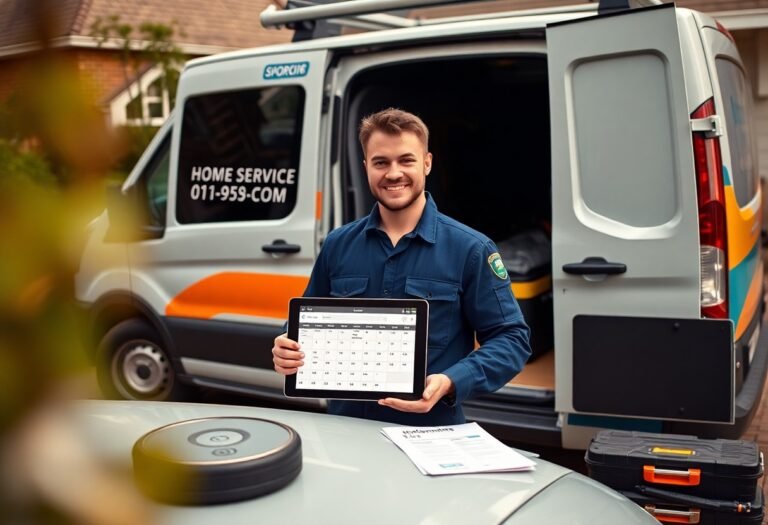
With automated scheduling, invoicing, and customer reminders, you reduce admin time, increase on-time arrivals, and free your team to focus on skilled work and growth.
Key Takeaways:
- Online booking and automated scheduling: offer 24/7 booking, sync calendars, set buffer times, and reduce manual appointment changes.
- Dispatch and route optimization: automate job assignments, plan efficient routes, and provide ETAs to technicians.
- Invoicing, payments, and estimates: generate templated estimates, auto-send invoices, and accept payments on site or online.
- Customer communications and reminders: send confirmations, SMS/email reminders, and automated review or satisfaction requests.
- Job management and CRM automation: track work orders, parts, warranties, and automate lead follow-ups and recurring service reminders.
Prioritizing Lead Response and Capture
A fast, consistent response helps you capture more inquiries and convert them into bookings; automate initial contact, lead scoring, and follow-up to reduce missed opportunities and speed response.
Implementing Instant Auto-Replies for Web Inquiries
With instant auto-replies you confirm receipt, set expectations, and collect key details so you can book or qualify leads faster without manual triage.
Automated Lead Routing and Qualification
At routing, set rules that assign leads by service, location, and availability so the right technician gets notified immediately and you reduce response time.
Instant routing pairs lead data with rules and scoring so you send high-value jobs to top technicians, auto-qualify by budget or timeline, and set fallback actions when no match exists; you can track conversion rates and tweak rules from analytics.
Streamlining the Scheduling and Dispatching Workflow
If you automate scheduling and dispatching first, you reduce double bookings, cut manual calls, and speed response times so technicians arrive when expected and customers get timely updates.
Online Self-Service Booking Portals
To let customers book anytime, set up an online portal that shows real-time availability, service options, and pricing so you cut phone traffic and increase confirmed appointments.
Real-Time Technician Notifications and Route Optimization
On new assignments, push notifications and live route updates keep your technicians informed, reducing travel time and missed windows while improving on-time performance.
Plus you can use ETA sharing, traffic-based rerouting, and priority rules to minimize idle time, automatically reassign jobs, and let you respond to emergency calls faster.
Enhancing Customer Experience Through Automated Communication
To improve satisfaction, you can automate confirmations, real-time updates, and personalized messages so clients feel informed and valued throughout the service journey.
Automated Appointment Reminders and Arrival Windows
Automated reminders and arrival windows reduce no-shows and set clear expectations, letting you confirm details and provide ETA updates via SMS or email.
Post-Service Follow-ups and Maintenance Alerts
PostService follow-ups and maintenance alerts keep you top of mind, prompt reviews, and schedule preventive visits so customers stay engaged after the job.
With automated follow-ups you can send satisfaction surveys, warranty reminders, and timed maintenance tips tied to service records; segment messages for high-value clients, track responses, and automate next-step scheduling to increase repeat business and reduce reactive calls.
Accelerating Cash Flow with Automated Invoicing
Keep invoices generated and sent as soon as a job closes, so you shorten payment cycles, reduce manual billing work, and free your team to focus on service delivery.
Digital Quote Approval and E-Signatures
Invoicing triggers on customer-approved digital quotes, so you start jobs faster, create a clear audit trail, and eliminate lost approvals with e-signatures.
Automated Payment Collection and Past-Due Reminders
Digital payment collection and timed reminders let you capture cards on file, retry failed payments, and nudge late customers professionally to maintain steady cash flow.
The system schedules reminder sequences, varies messages by invoice age, applies late fees, and posts payments automatically, reducing manual chasing and helping you get paid faster.
Building Authority with Automated Reputation Management
All your reviews get captured and routed automatically so you can monitor sentiment and publish high-quality testimonials; consult AI for small business resources to create consistent responses that build customer trust.
Triggered Review Requests Post-Job Completion
By sending a timed review request after each completed job, you increase response rates and collect fresh endorsements that improve your local rankings and buyer confidence.
Centralizing Feedback for Quality Control
Reputation signals should funnel into a single dashboard so you can spot repeat issues, assign follow-ups, and standardize fixes across crews.
Requests and comments must be tagged, prioritized, and routed to the right manager so you can track resolution times, run trend reports, and coach technicians based on data.
Selecting the Right Automation Stack for Scalability
Many businesses choose modular, cloud-first stacks so you can scale features, add integrations, and support more technicians without rebuilding systems, keeping costs predictable while ensuring consistent service delivery as job volume grows.
Integrating CRM with Field Service Management Software
At integration points, make sure your CRM syncs customer history, appointments, and invoices in real time so you can dispatch faster, reduce mistakes, and maintain a single source of truth between office and field.
Training Staff for Technology Adoption
Below you should run role-based sessions, hands-on practice, and short reference guides so technicians and office staff gain confidence, reduce resistance, and adopt tools quickly.
You should create a phased rollout with real tasks, mentor pairings, and quick feedback loops so you can track adoption rates, fix common pain points, and reward early adopters to sustain momentum and improve service consistency.
To wrap up
With this in mind you should automate scheduling, estimates, invoicing, and client communication first so you shorten admin time, reduce missed appointments, improve cash flow, and free staff to focus on service quality and growth.
FAQ
Q: Which process should a home service business automate first?
Booking and scheduling should be the first area to automate because it directly reduces administrative workload and lowers no-show rates. Automated online booking lets customers schedule 24/7, captures job details, and applies staff availability rules so appointments are valid on entry. Set confirmation and reminder triggers to cut missed appointments and build buffer times to prevent overbooking. Pick a system that syncs with technician calendars, supports two-way SMS, and creates work orders automatically when a booking is confirmed.
Q: Why prioritize automated customer communication and reminders?
Automated communication keeps customers informed and reduces friction at every touchpoint, improving on-time arrival and satisfaction. Use templates with personalization tokens to send immediate confirmations, 24-hour reminders, and hour-of-arrival alerts that include technician ETA or live tracking links. Configure two-way texting for quick rescheduling and capture customer consent for messages to stay compliant. Tie communications to job status so follow-ups, receipts, and thank-you messages go out automatically after service completion.
Q: How does automating dispatching and routing help operational efficiency?
Automated dispatching matches jobs to technicians based on skills, location, and availability, which increases productive time and reduces drive time. Route optimization calculates efficient sequences for same-day jobs and updates routes in real time when new jobs or cancellations occur. Mobile apps provide technicians with job details, checklists, and status updates, creating a closed loop between office and field. Set rules for priority jobs and automatic reassignments to keep schedules responsive without manual intervention.
Q: When should a business automate estimates, invoicing, and payments?
Begin automating estimates and payments as soon as scheduling and dispatch are consistent to accelerate cash flow and reduce billing errors. Use templates and pricing rules to generate digital estimates that customers can approve online, then convert approved estimates into work orders and invoices automatically. Offer integrated payment options (card, ACH, payment links) and set up automatic receipts and past-due reminders to shorten days sales outstanding. Connect invoicing to accounting software to keep books current and simplify reconciliation.
Q: What other early automations deliver high ROI for a home service business?
Automate intake forms, repeat-service scheduling, inventory tracking for parts, and post-service review requests to capture revenue and feedback without extra labor. Implement simple reporting dashboards that track booking conversion, technician utilization, average travel time, and invoice aging so decisions are data-driven. Test each automation in a small segment, measure its impact on KPIs, and expand successful automations to more routes or service types. Prioritize automations that shorten cash cycles, increase completed appointments, and improve customer experience first.