
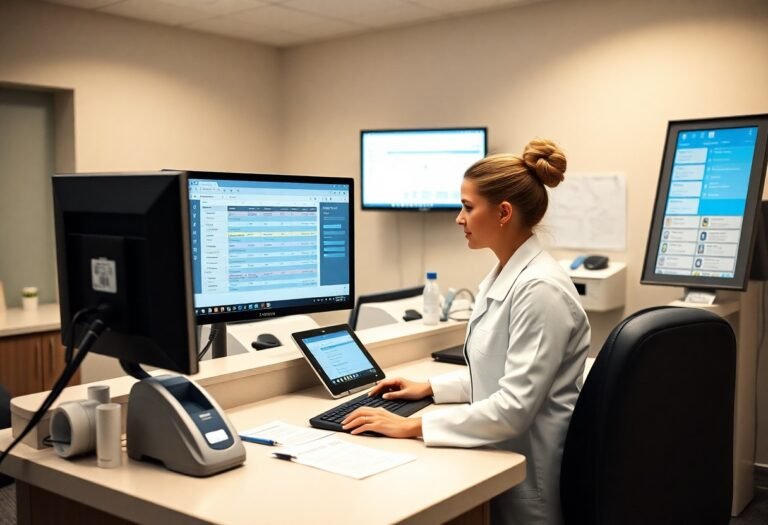
Over time you use automated scheduling, verification checkpoints, standardized protocols, and routine staff audits to catch discrepancies early, protect patient data, and ensure accurate billing and appointments without introducing risky errors.
Key Takeaways:
- Implement human-in-the-loop workflows for exceptions so staff review flagged appointments, billing items, or records before finalization.
- Apply validation rules, standardized templates, and required fields to prevent incorrect or incomplete patient data entry.
- Enforce role-based access controls and maintain audit logs to track changes, support accountability, and simplify recovery from errors.
- Run end-to-end testing and continuous monitoring with alerts, plus scheduled backups and rollback options for system updates.
- Train front-desk staff on automation limits and maintain clear escalation paths so humans handle ambiguous or high-risk decisions.
Strategic Implementation of Automated Scheduling
While you adopt automated scheduling, pilot workflows, set clear approval rules, and keep manual override options to prevent booking conflicts and patient mismatches.
Synchronizing Real-Time Calendar Updates
Calendar syncing must push instant updates across providers, display buffer times, and flag double-bookings so you can confirm changes before patients arrive.
Automated Reminders and No-Show Mitigation
Mitigation comes from timed reminders, two-way confirmations, and escalation rules that let you triage last-minute cancellations and offer openings to waiting patients.
For instance, send SMS and email reminders at multiple intervals, include pre-visit instructions, allow replies to confirm or cancel, and auto-fill cancellation slots so you can reduce no-shows and reclaim appointments quickly.

Streamlining Insurance and Eligibility Verification
Assuming automated eligibility checks run at booking and check-in, you lower claim denials, accelerate patient flow, and keep manual override for complex cases to prevent risky errors.
Reducing Manual Data Entry Errors
At the front desk, you use validated templates, drop-downs, and OCR-assisted intake to cut transcription mistakes and ensure consistent patient and insurance records.
Real-Time Coverage Validation Protocols
After initial capture, you trigger insurer APIs to confirm active coverage, plan benefits, and preauthorization needs before clinical work begins.
Verification steps include rule-based checks, insurer response timeouts, error-code handling, and automatic staff alerts when mismatches occur, so you can reconcile issues, document decisions in the audit trail, and reduce treatment delays.
Maintaining Data Integrity and HIPAA Compliance
Not every automated process is safe; you must enforce strict validation, routine backups, encrypted storage, and scheduled audits so patient records stay accurate and HIPAA-compliant.
Secure Encryption of Patient Communication
One method you should use is end-to-end encryption for messages, TLS for transit, and strong key management so communications remain private and auditable.
Access Control and Audit Trails
Compliance requires that you assign least-privilege roles, enforce MFA, and maintain detailed audit logs to track who viewed or modified records.
HIPAA mandates access controls and logging; you should define role-based permissions, perform regular log reviews, alert on anomalous access, and keep retention policies to aid investigations.
The “Human-in-the-Loop” Quality Control Model
To prevent costly mistakes, you use automation for standard data processing while assigning staff to verify exceptions, approvals, and clinical-sensitive items, keeping final decisions with trained personnel.
Manual Review of Complex Administrative Tasks
Control review steps let you route insurance denials, treatment plans, and consent forms to trained staff who confirm details, correct errors, and sign off before records update.
Staff Intervention Strategies for Automated Discrepancies
By setting clear escalation rules you ensure your team receives alerts, investigates mismatches, and either corrects records or returns tasks to automation with annotated reasons.
A clear protocol assigns roles, timelines, and documentation fields so you can track who handled each discrepancy, why changes were made, and how to prevent repeat errors through targeted training.

Integrating AI for Patient Inquiries
Keep AI handling routine messages while you set clear escalation rules; consult AI in Dental Practice Management: The Future of Dentistry for implementation guidance and ensure human review for ambiguous cases.
Triaging Common Questions vs. Clinical Emergencies
On triage you classify messages by symptom keywords and urgency, auto-answer FAQs, and route suspected emergencies to clinicians immediately for direct contact.
Personalizing Automated Responses for Patient Comfort
Around personalization you use patient records to tailor tone, appointment history references, and follow-up prompts so automated replies feel attentive and respectful.
In fact you implement consent-based templates, anonymized data checks, fallback human review for sensitive cases, and periodic audits so tone matches patient needs while protecting privacy.
Performance Monitoring and Systems Auditing
Now you set clear audit schedules and dashboards to watch automated processes, ensuring quick detection of anomalies and adherence to clinical protocols without disrupting patient flow.
Tracking Error Rates in Automated Workflows
On a daily basis you measure error rates by workflow, flagging spikes for immediate review and assigning corrective tasks to staff to reduce repeat issues.
Continuous Optimization of Software Logic
Continuous tuning of rules and thresholds helps you cut false positives and improves appointment accuracy through targeted updates and controlled A/B tests.
The team monitors decision logs and user feedback so you can refine rule sets, run controlled rollouts, validate edge cases against patient records, and document changes to maintain audit trails and compliance.
Conclusion
So you minimize risky errors by using validated software, enforcing clear protocols and staff training, running regular audits, and keeping human review on critical tasks to ensure accuracy and patient data protection.
FAQ
Q: How do front desks ensure patient data accuracy when using automation?
A: Front-desk systems enforce data accuracy through validated intake forms with required fields, auto-formatting, and duplicate checks. Systems compare new entries to existing records using fuzzy matching and patient identifiers such as date of birth and phone number. Staff receive clear alerts for mismatches and must confirm or correct data before the system saves changes. Audit logs record every edit with user ID and timestamp for later review.
Q: How can automation prevent scheduling errors like double-booking or wrong appointment types?
A: Scheduling modules use conflict detection rules, appointment buffers, and provider availability calendars to prevent double-booking. Automated confirmations and reminders reduce no-shows and allow patients to cancel or reschedule through secure links. High-risk changes trigger a manual verification step that requires staff approval. Simulated booking tests and phased rollouts catch edge cases before full deployment.
Q: What safeguards protect patient privacy and regulatory compliance when automating front-desk tasks?
A: Security controls include end-to-end encryption, role-based access, and single sign-on with multi-factor authentication. Vendors should sign business associate agreements and support audit trails and immutable logs. Clinics implement consent capture at intake, retention policies, and a documented breach response plan. Regular compliance audits and staff training ensure policy adherence.
Q: How should exceptions and automation failures be handled to avoid risky errors?
A: Exception workflows route flagged items to a human reviewer instead of allowing automated completion. Systems support rollback of recent automated actions and provide clear undo options for staff. Offline procedures and phone-based backups maintain operations if automation systems fail. Monitoring tools send real-time alerts for error spikes and trigger incident reviews.
Q: What training and operational practices reduce the chance of automation causing mistakes?
A: Training uses hands-on simulations, checklists, and scenario drills that mirror daily front-desk tasks. Standard operating procedures define when staff must override automation and how to document those decisions. Performance metrics such as error rate, time-to-resolution, and patient satisfaction are tracked to guide improvements. Regular vendor updates and controlled change windows reduce surprises and keep staff current.