
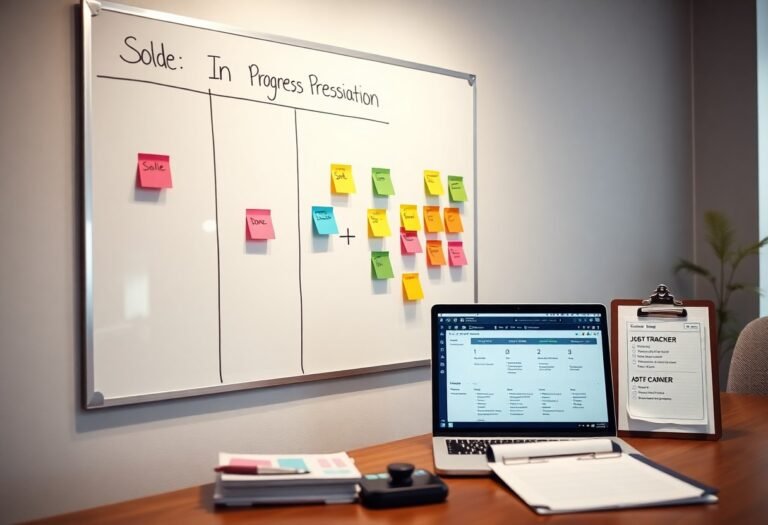
Over several steps, you define stages from Sold to Done, assign responsibilities, set milestones and deadlines, integrate documentation and approvals, and track progress with consistent updates to ensure timely completion and accountability.
Key Takeaways:
- Define clear stages from Sold to Done with explicit entry and exit criteria for each step (example: Sold → Scheduling → Prep → Execution → QA → Done).
- Assign a single job owner plus stage owners, and document responsibilities and SLAs to prevent handoff gaps.
- Standardize intake with required fields and templates or checklists to capture scope, assets, deadlines, and approvals up front.
- Centralize tracking in one tool or board with status labels, attachments, automated reminders, and visible deadlines.
- Monitor cycle time, backlog, and rework rates and run short post-job reviews to fix root causes and update processes or templates.
Mapping the Lifecycle: From Sold to Production
While a signed order starts the process, you should map stages from scope and planning to scheduling, resource allocation, quality checks, and production handoff so each milestone has clear owners and acceptance criteria that prevent rework and missed deadlines.
Defining Critical Handover Points
Between sales and production you define precise handovers-scope documents, approvals, required data, and sign-offs-so teams know when responsibility shifts and what acceptance looks like.
Establishing Standard Operating Procedures (SOPs)
Above, document SOPs for each stage covering tasks, roles, timelines, escalation paths, and measurable quality criteria so your team executes consistently.
In addition you should include version control, training requirements, templates, KPIs, review schedules, onboarding workshops, and an assigned owner who monitors adherence and updates procedures based on performance data.
Centralizing Data Management
If you centralize job records in a single platform, you reduce duplication, speed approvals, and maintain a clear audit trail from sale to completion.
Selecting a Single Source of Truth
Data stored in a single authoritative system gives you consistent job details, pricing, and status updates, cutting rework and disputes while simplifying reporting.
Automating Information Flow Between Departments
The automation you implement should route sales data to operations, trigger tasks, and update timelines so each team acts on the same facts without manual handoffs.
Considering your integration options, use API-driven syncs, webhooks, and low-code connectors to keep invoices, schedules, and customer notes current across tools, and set error alerts to catch mismatches early.

Resource Allocation and Scheduling
Now you assign people, equipment, and time to each sold job, set start and finish dates, and prioritize tasks so schedules match capacity and client expectations.
Balancing Workload Capacity
Across projects you track team utilization, level assignments, and shift work to avoid burnout while preserving delivery dates.
Managing Dependencies and Lead Times
Times when tasks rely on external inputs should be mapped, owners assigned, and lead times padded so handoffs don’t stall progress.
And you create a dependency register, build a simple Gantt to visualize sequences, set minimum buffer days for risky handoffs, and define supplier SLAs and escalation paths; monitor the critical path, update estimates after delays, and communicate changes to clients and teams so contingencies are executed before deadlines slip.

Executing the Job in the Field
Despite tight schedules, you keep teams on task with clear checklists and real-time updates; use Task Tracking: Definition, Tools, and Workflows That Work to standardize procedures and reduce rework on site.
Implementing Real-Time Communication Channels
About your field communications, you assign one app, set escalation rules, and require immediate confirmations for key milestones so managers track progress in real time.
Utilizing Mobile Access for On-Site Updates
Beside mobile forms, you enable photo uploads, location tags, and offline sync so crews send accurate updates from any site.
The mobile interface lets you assign tasks, collect signatures, and generate timestamps, which improves accountability and speeds invoicing while conserving administrative hours.
Quality Assurance and Milestone Tracking
Your quality assurance ties clear acceptance criteria to milestone checkpoints, using measurable KPIs and sign-offs so you validate deliverables, reduce rework, and confidently transition jobs from Sold to Done.
Standardizing Multi-Stage Checklists
Beside templates you create stage-specific checklists with pass/fail criteria, owners, and timestamps so you enforce consistent inspections, speed approvals, and cut recurring errors.
Identifying and Resolving Bottlenecks
Along the workflow you monitor cycle times, queue lengths, and handoff delays to detect bottlenecks, reassign capacity, and adjust priorities to maintain steady throughput.
And you diagnose causes by combining time-series metrics with team feedback, run small experiments-limit WIP, add parallel work, automate repetitive steps-and set escalation rules and SLAs so fixes stick and lead times fall.
Finalization and Financial Reconciliation
For finalizing the job you confirm deliverables, secure customer sign-off, reconcile costs and invoices, and update records so your accounts reflect actual payments and outstanding balances.
Securing Final Customer Sign-off
Before you request formal sign-off, present clear acceptance criteria, verify all items are delivered, and collect written approval to close the job.
Initiating the Billing and Post-Job Review Cycle
After you obtain sign-off, generate invoices from approved estimates, post charges to accounting, and schedule the post-job review to capture lessons and adjustments.
At the billing stage you validate time and materials against purchase orders, attach delivery receipts and change orders, and send an itemized invoice with payment terms; you then track payments, follow up on overdue amounts using predefined steps, run a lessons-learned session with stakeholders, and record final profit metrics and process updates for future bids.
Conclusion
You map each stage from sold to done, assign clear owners, automate handoffs and alerts, set deadlines, track progress, and review outcomes so you maintain accountability and predictable delivery.
FAQ
Q: What are the core stages of a job tracking workflow from Sold to Done?
A: Define stages: Sold (contract accepted and deposit received); Kickoff (scope confirmed, kickoff meeting, onboarding tasks created); Planning (detailed plan, milestones, resource assignments, timelines); Execution (tasks worked, daily updates, blockers logged); Quality assurance (internal review, testing, client review); Client approval and acceptance (formal sign-off and acceptance criteria met); Invoicing and closure (final invoice issued, payment tracked, project files archived, retrospective completed). Set clear entry and exit criteria and assign a single owner for each stage.
Q: How should roles, responsibilities, and handoffs be structured?
A: Assign a stage owner and a single point of contact for the client. Document responsibilities using a simple RACI or ownership table. Create handoff artifacts such as an updated status summary, deliverable checklist, and acceptance signoff. Set SLAs for response and completion times and publish escalation paths with backup owners. Require sign-off at each handoff before advancing the status.
Q: What tools, templates, and integrations support the workflow?
A: Use a project management system that supports custom statuses, templates, and automation (examples: Jira, ClickUp, Asana, Trello). Maintain templates for kickoff agendas, task definitions with acceptance criteria, QA checklists, change request forms, invoice templates, and client sign-off forms. Integrate the CRM to create projects from sold deals and connect accounting or billing systems to automate invoice generation and payment tracking. Enable notification channels for stakeholders on critical transitions.
Q: How can you automate transitions, approvals, and prevent work from slipping through?
A: Create automation rules that trigger project creation and task generation when a deal is marked sold. Auto-assign tasks based on role templates and required skills. Require mandatory checklist completion and an approval task before allowing a stage change. Configure date-based reminders and overdue escalations, and use task dependencies to block downstream work until prerequisites are complete. Provide audit logs and dashboards that highlight blocked items and aging tasks.
Q: What metrics and review practices ensure consistent closure and continuous improvement?
A: Track cycle time per stage, on-time delivery rate, rework count, time from completion to invoice, and client satisfaction or NPS. Conduct a short retrospective at closure to capture lessons and update templates and checklists based on findings. Review SLA compliance and trend metrics monthly, report patterns to leadership, and adjust resource allocation or process steps when recurring bottlenecks appear.